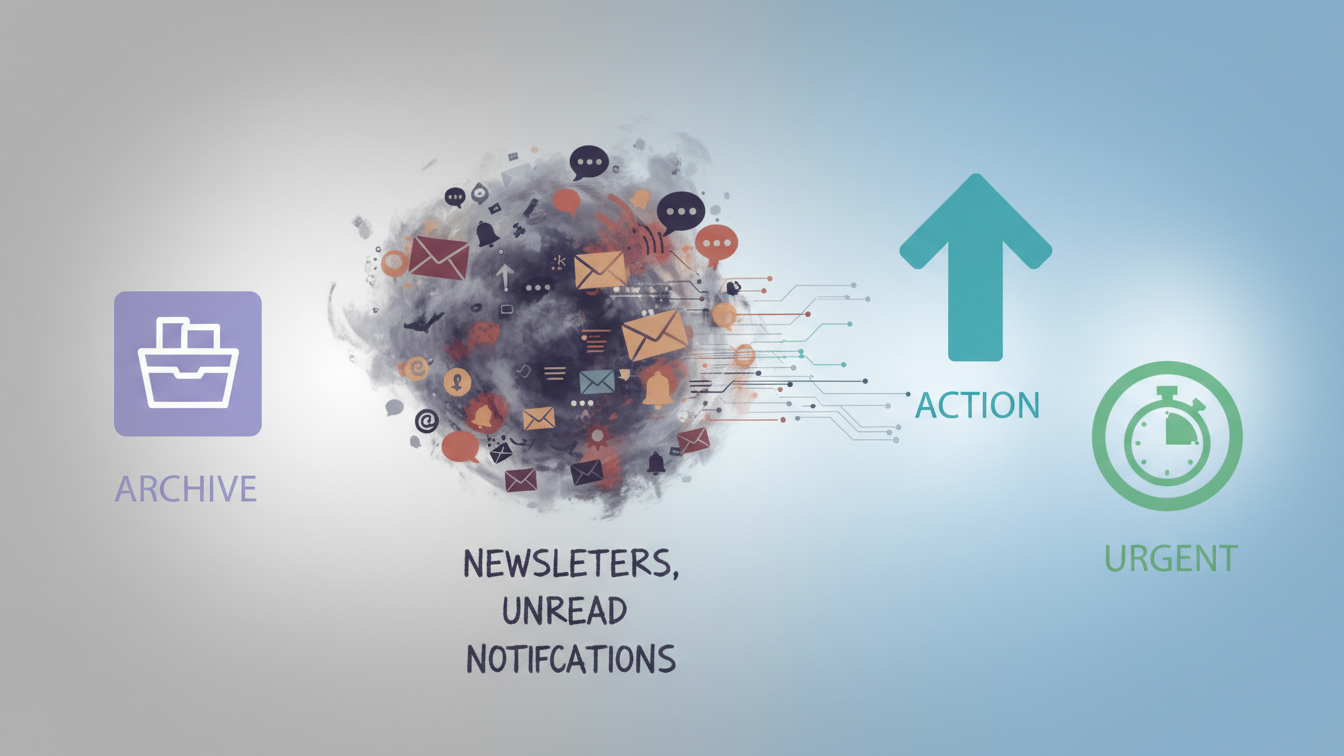
Introduction: the quiet load of inbox chaos
Most people have an email strategy.
Some keep their inbox pristine: zero unread messages, aggressive unsubscribing, a neat archive that grows daily. Email comes in, gets processed, and disappears.
Then there are people like me.
My inbox is over twenty years old. Over time, it became the default intake system for… everything. Work, side projects, invoices, newsletters, forum sign-ups, platform notifications, personal messages — all of it ended up in the same place. And while for the most part I got away with it, it came at a cost: a constant low-grade cognitive load that I mostly tried not to think about.
My coping strategy for years was simple: scan subject lines, open only what looked urgent, ignore the rest. That only works until it doesn’t. Important messages slowly start to drown in a steady stream of noise from LinkedIn, Temu (yes, they deserve their own category), and dozens of services I once signed up for and never properly left.
Eventually I realized the problem was that my inbox had lost its ability to signal what actually mattered. So I decided to treat it like a systems problem and build something that could help me stay on top of what’s important without requiring constant vigilance.
This article walks through how I approached that: starting deliberately without AI, layering structure first, and only introducing semantic triage once the foundations were solid.
If you’re looking for a ready-made inbox cleanup tool, something like Clean Email does a great job at reducing clutter. But what I wanted went beyond cleaning. I didn’t just want fewer emails — I wanted clear signals.
Why cleaning alone isn’t enough
Traditional “email cleanup” usually focuses on a few things:
- Archiving or deleting old messages
- Unsubscribing from newsletters
- Turning off unnecessary notifications from external apps
- Setting up rule-based Gmail filters
All of that is necessary, and I strongly recommend doing it. But even after you’ve cleaned and filtered, you’re still left with the same three questions every time you open your inbox:
- Do I need to remember this?
- Do I need to reply or pay something?
- How urgent is it really?
There’s arguably a fourth question — “Is this a calendar event?” — but I intentionally left that out of scope for the first version.
Invoices are a good example of why this is tricky. Most are already paid automatically, until suddenly one isn’t — and missing that email has real consequences. LinkedIn is another: most notifications are ignorable, until someone sends a direct message and you miss an opportunity entirely.
Rule-based filters can’t reliably answer those questions. They don’t read intent, attachments, or consequences. That’s where semantic triage comes in — but only after the inbox is structurally sane.
Why I didn’t start with AI (and why you shouldn’t either)
It’s tempting to throw AI at inbox chaos immediately. But please don't.
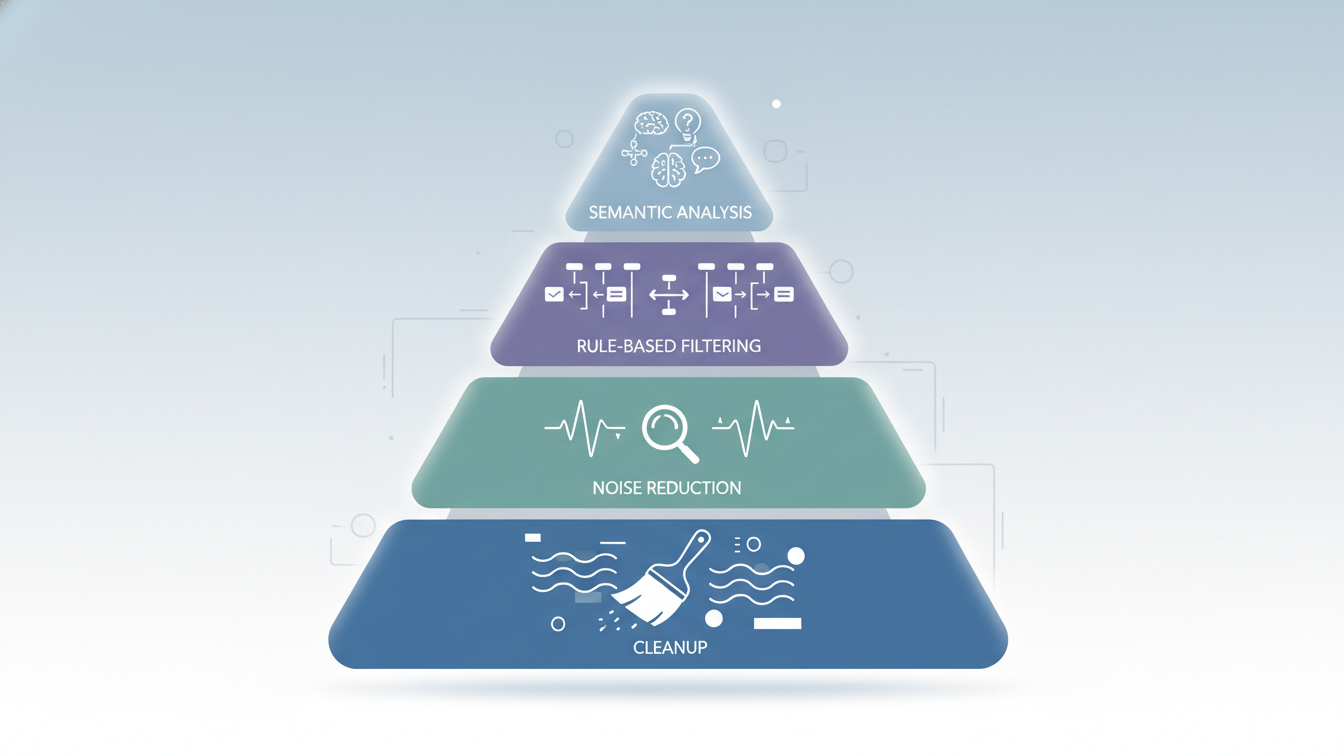
AI triage can be expensive, probabilistic, and cognitively risky if applied too early. Most inbox chaos isn’t semantic; it’s historical and structural. Years of unread mail will distort everything.
The goal is to reduce volume before adding intelligence.
This system is deliberately layered: rules first, semantics last. Semantic triage is a force multiplier — not a broom.
Step zero. Collapsing inbox debt (the unglamorous prerequisite)
After a certain amount of time, “unread” stops meaning “needs attention.” If an unread email from last year were truly important, you would have received reminders or calls about it. Any automation built on top of that signal would be broken from the start.
So I made a blunt but effective decision:
- All emails older than six months were marked as read.
- No inspection. No judgment. No AI.
I literally selected 15,000+ unread emails in the Gmail web UI and marked them all as read. It took Gmail a while to churn through them, but my automation setup wasn’t designed to handle that volume anyway.
This simple step does several things. It restores meaning to the “unread” state. It dramatically reduces emotional friction. And it keeps the system cheap and predictable.
Step 1. Inbox Resurrection: one last human reckoning
With historical debt collapsed, I moved into what I jokingly call the Inbox Resurrection phase.
For the remaining unread emails from the last six months, I wanted one final human scan before letting automation take over. I still had around 4,000 unread emails — clearly too many to read individually, but enough that I didn’t want to blindly discard them either.
Doing this in the Gmail UI would be overwhelming, so instead I generated a flat, scannable list:
- Unread emails grouped by sender
- Sorted by frequency
- Subject lines aggregated per sender
This gave me a big picture of what had actually been hitting my inbox. I reviewed the list once, approved it, and then let the system mark everything as read.
That review turned out to be worth it. I caught a failed automatic deduction I really didn’t want to miss — and, at the other extreme, discovered a PayPal subscription I didn’t know I had. It was one of those “€0.50 quiz result” traps with a €29.99 monthly subscription buried in the fine print. That had been running for months. This is exactly the kind of thing that slips through when an inbox is noisy.
Design principle: humans are good at pattern recognition; machines are not.
Step 2. Inbox Audit: reducing future noise at the source
At this point I went on the largest unsubscribe spree of my life. If you receive 4000 emails in 6 months, which is around 22 emails per day, it is high time you unsubscribe from newsletters that you joined years ago.
Along the way I also discovered Gmail’s hidden gem: the Manage Subscriptions page. It’s crude — just frequency classes and lacks subject context — but at this stage it's usable nevertheless. I recommend opening it and unsubscribing from everything you don’t actively want right now.
From there, I designed an audit workflow to run periodically to prevent low-value email from ever reaching semantic triage.
The audit looks at:
- Sender frequency (last 30 days)
- Subject lines
- Presence of unsubscribe links
At the end of this step, you want to have a list of aggressive senders, what they email about, and unsubscribe links.
Step 3. Why rule-based filters still matter in an AI system
Rule-based filters are cheap, fast and predictable, whereas semantic triage is probabilistic, contextual and costly.
The problem, though, is that Gmail’s filter UI doesn’t help you understand which rules matter most, or where the biggest gains are. You need sender statistics and subject patterns before you can design high-leverage filters.
So with the results from the previous step, we can ask AI to propose a top 5-10 most effective filters. Nothing is applied automatically. Everything is reviewed and edited by a human first. Notion became my cheap, flexible control plane for this phase. Once the filters are approved, they're added to the Gmail account via the Gmail API.
A subtle but important design choice: every rule-based filter explicitly adds an “urgency evaluated” label. That prevents double-processing later and keeps the pipeline clean.
A quick hint for N8N users: for Gmail filter creation, use an HTTP request node with Google OAuth2 credentials with the gmail.settings.basic scope.
Step 4. Semantic incoming triage: where your inbox becomes a signal stream
Only after structural cleanup does AI enter the system.
This layer looks at:
- Sender
- Subject
- Message body
- Extracted text from attachments (including PDFs)
The AI is asked:
- What is the intent? (purchase, admin, invoice, support, etc.) The goal is not to categorize every mail, but only the ones that are relevant for organizing your life or running your business.
- Is there a required next action? (reply, review, pay)
- What is the urgency based on consequence, not tone?
Based on that, it applies personal labels (intent, next action, urgency), archives non-actionable messages, and parks invoices in Google Drive.
It doesn’t autonomously send replies or make irreversible decisions. Reversibility should be a hard requirement, because AI can and will make mistakes.
Not every message deserves your attention (and this is where most tools don't fit our usecase)
Most enterprise tools assume that every incoming message is relevant and treat urgency as response time.
But personal urgency works differently from an enterprise SLA. It’s about the cost of inaction. Missing a bill, missing a sales lead from a channel that produces mostly noise, and missing a newsletter are not equivalent — even if they all arrive in the same inbox.
The result: a quieter inbox and clearer attention funnels
The biggest change wasn’t technical but experiential. My inbox is noticeably quieter.
It is not perfect yet: the system errs on the side of false positives and sometimes applies a high urgency and review label to a message that can be safely ignored.
But maintaining inbox-zero becomes doable. I have shorter lists to scan through. Fewer decisions to make. Email stopped being a firehose and became a signal stream.
If you want to build something similar
Some advice from the process:
- Start read-only
- Log decisions before acting
- Separate cleanup from intelligence
- Design for reversibility
- Expect iteration
What matters more than tools is how you define urgency and actionability — and how you filter out the things that don’t need AI at all.
Where this is going (and what still doesn’t exist)
This system is still a prototype. True multi-channel semantic triage — across email, chat, and platforms — remains largely unsolved. Most tools optimize individual fragments, not the whole flow of inbound communication.
Email happens to be the largest and most flexible hub. Many platforms forward notifications to email, making it the only practical aggregation point, especially when platforms actively resist machine access. By starting with email, you address the widest surface area before tackling harder channels.
What I intentionally did not automate
-
Sending replies I use tools like MailMaestro for assisted replies, but I don’t trust AI to autonomously respond in a general inbox where messages can range from a LinkedIn notification to a €10k invoice. Fully automated replies make more sense in purpose-built inboxes, such as sales or contact-form inboxes, where incoming messages follow a narrow pattern and the goal is lead intake and qualification. In those contexts, conversational automation can be effective without introducing unnecessary risk.
-
Hard deletes If something is mis-archived, you want to be able to recover it.
-
Designing filters autonomously AI proposes filters in Notion. I edit them. Then the system applies them.
Some decisions are still better made with a human in the loop.